
Supercharge Hastewire with Smart Automation
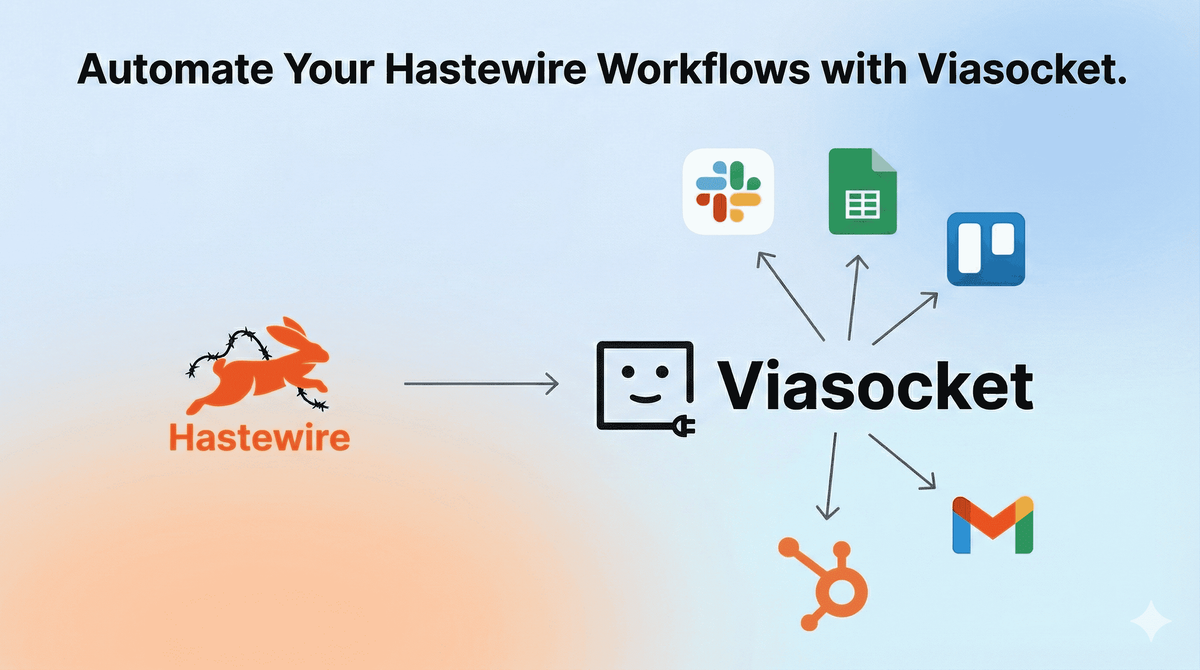
Automate Hastewire workflows to save time, reduce manual effort, and streamline communication across your tools for faster execution and better productivity.
There’s a certain kind of exhaustion that doesn’t come from hard work. It comes from switching tabs.
Picture this. You’re managing campaigns in Hastewire. A new update comes in. You copy it into Slack. Then you paste the same details into a Google Sheet. Then you send a follow-up email from Gmail. It’s not difficult work. It’s just repetitive. Back and forth. Back and forth. And by the end of the day, the real thinking — the strategic part — feels squeezed out by busywork.
You tell yourself it’s fine. It only takes a minute.
But those minutes stack up.
Then automation enters quietly. No fireworks. Just a simple connection: when something happens in Hastewire, the rest of your tools respond automatically. No copying. No chasing. No forgotten updates. Suddenly, the workflow feels lighter. Cleaner. You stop managing the process and start shaping outcomes.
Smart teams don’t obsess over speed for the sake of it. They remove friction so meaningful work can breathe. When the noise disappears, creativity shows up. That’s the shift automation creates inside Hastewire — from juggling tools to orchestrating them.
Table of Contents
Instant Team Notifications with Slack
Sync Campaign Data to Google Sheets
Turn Updates into Tasks in Trello
Automate Client Emails with Gmail
Push Leads into HubSpot Automatically
Instant Team Notifications with Slack
Imagine manually checking Hastewire every hour just to keep your team aligned. Then copying updates into Slack channels. Then tagging the right people. It’s small work, but it drains focus. And sometimes, you forget.
When you automate Hastewire with Slack, every new project update, status change, or milestone completion triggers an instant Slack notification. The right channel. The right format. No delay.
You can:
- Send real-time Slack alerts when a new task is created in Hastewire.
- Notify specific team members when project statuses change.
- Post milestone completions automatically into leadership channels.
- Trigger escalation messages when deadlines are updated.
Suddenly, communication becomes proactive instead of reactive. The room gets quieter. Fewer “Did you see this?” messages. More action.
That’s when collaboration starts to feel effortless.
Sync Campaign Data to Google Sheets
There’s something oddly frustrating about exporting data. Download CSV. Open file. Copy rows. Paste into Google Sheets. Fix formatting. Repeat tomorrow.
If you’re tracking campaign performance or project metrics in Hastewire, this routine becomes a daily ritual you never asked for.
Automation changes that rhythm completely.
With Hastewire connected to Google Sheets, every new record, update, or campaign metric flows directly into your spreadsheet in real time.
You can:
- Automatically add new campaign entries as rows in Google Sheets.
- Update existing rows when statuses change in Hastewire.
- Track performance metrics without manual exports.
- Generate live dashboards powered by synced Hastewire data.
The spreadsheet becomes alive. Always current. Always accurate.
Instead of managing data transfers, you start analyzing trends. And that’s where smarter decisions happen.
Turn Updates into Tasks in Trello
Sometimes an update in Hastewire means action somewhere else. But manually creating Trello cards for every new request or change? That’s where momentum slows down.
You read the update. Switch tabs. Create a card. Copy the description. Add a due date. Assign a member. It’s not complex. It’s just repetitive.
When Hastewire integrates with Trello, updates instantly become actionable tasks.
You can:
- Create Trello cards automatically when new projects are added.
- Sync task descriptions and deadlines in real time.
- Move Trello cards when Hastewire statuses change.
- Assign team members based on project categories.
The moment something is logged in Hastewire, execution begins in Trello. No manual relay.
And when work flows naturally between tools, you spend less time coordinating — and more time building.
Automate Client Emails with Gmail
Client communication is critical. But drafting similar emails every time a status changes? That’s mental clutter you don’t need.
Without automation, every update in Hastewire means manually composing emails in Gmail. Copy details. Double-check information. Hit send. Repeat.
When connected, Hastewire can trigger personalized Gmail messages automatically.
You can:
- Send confirmation emails when projects are created.
- Notify clients when milestones are completed.
- Trigger follow-up emails when deadlines shift.
- Send summary updates at predefined stages.
The emails still feel personal. They’re just no longer manual.
And that subtle shift gives you space to focus on conversations that truly need your attention.
Push Leads into HubSpot Automatically
Leads fall through cracks quietly. A new inquiry lands in Hastewire. You plan to add it to HubSpot later. Later turns into tomorrow.
Manual CRM entry is one of those tasks that always feels small — until it costs you an opportunity.
With automation, every new lead or client record in Hastewire instantly syncs into HubSpot.
You can:
- Create new HubSpot contacts automatically from Hastewire entries.
- Update deal stages when project statuses change.
- Add notes to CRM timelines based on activity.
- Assign leads to sales reps automatically.
Your CRM becomes accurate without effort. No forgotten follow-ups. No double entry.
And when your systems stay aligned, growth feels intentional instead of accidental.